Project Brief Template + How to Write One
By Danial Pourgolab · 11 min read · July 2026
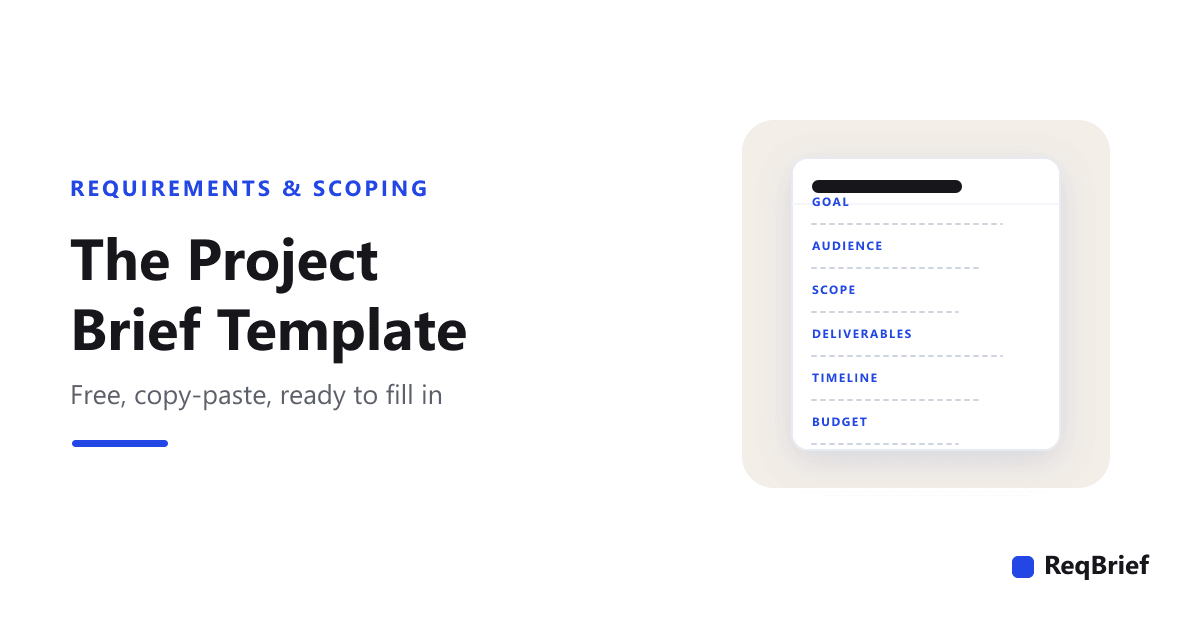
A blank page is where good projects go to stall. You know roughly what the client wants, you sit down to write it up, and you spend the first twenty minutes deciding what a project brief even needs to contain. A template removes that friction: the same labelled sections, every time, so the only work left is filling them in. Below is one you can copy right now, plus a plain-language guide to what belongs in each field and why.
This post is the template itself. If you want the reasoning behind each choice, how to phrase questions and how to get clients to actually answer, that is a separate guide, linked at the end. Here, the goal is to hand you a working document. Copy the block, drop it into a doc, and you have a brief structure that covers the things projects actually trip over.
The project brief template
Copy everything in the block below. Each section has a one-line prompt in brackets telling you what to put there. Delete the prompt as you fill it in. Thirteen sections looks like a lot, but most fields are a sentence or two; a real project brief for a small site fits on two pages.
PROJECT BRIEF

Project name:
Prepared by / date:

1. SUMMARY
[One short paragraph: what this project is, for whom, and why now.]

2. GOAL & SUCCESS METRICS
[The single outcome this project must achieve, and how you will know it worked.]

3. TARGET AUDIENCE
[Who actually uses the result. Be specific: "returning customers on mobile", not "everyone".]

4. SCOPE
In scope:  [What this project includes.]
Out of scope:  [What it explicitly does NOT include, so later requests become change orders.]

5. DELIVERABLES
[The concrete things you will hand over, e.g. 5-page marketing site, booking flow, style guide.]

6. KEY FEATURES & USER FLOW
[The main things a user does, in order. One line per step or feature.]

7. DESIGN & BRAND DIRECTION
[Look and feel, brand assets, references they like/dislike, any hard constraints.]

8. TECHNICAL NOTES & INTEGRATIONS
[Platform, hosting, existing systems, third-party tools this must connect to.]

9. CONTENT & ASSETS
[Copy, images, data, translations, and for each: who owns it and when it is due.]

10. TIMELINE & MILESTONES
[Launch date or key dates, plus any fixed deadline behind them (event, campaign, etc.).]

11. BUDGET
[Range or fixed figure, and what it does / does not cover.]

12. STAKEHOLDERS & SIGN-OFF
[Day-to-day contact, anyone else who reviews, and the one person who gives final approval.]

13. OPEN QUESTIONS
[Everything not yet decided. An honest list here prevents surprises later.]
That is the whole thing. The rest of this post explains the sections that get skipped or filled in badly, because a template only helps if the answers you put in it are the right kind of answer.
What each field is really asking for
Most of the thirteen sections are self-explanatory. Five of them are where briefs quietly go wrong, usually because the field gets a vague answer, or gets left blank because nobody wanted to have the conversation it forces. These are the ones worth getting right.
If the structure feels familiar, that is because it mirrors how formal requirements specifications are organised. ISO/IEC/IEEE 29148, the international requirements-engineering standard, defines the same kind of labelled specification template. This is the industrial version, minus the ceremony.
- 1Goal & success metrics: not a feature list. The goal is the outcome, not the thing you are building. "A new website" is not a goal; "cut the booking calls reception handles by letting patients book online" is. Add how you will know it worked, even roughly, because a goal you cannot observe is a wish. This one field quietly decides every trade-off later. When two options compete, the one that serves the stated goal wins.
- 2Scope: the "out" list matters more than the "in" list. Everyone fills in what is included. The section that saves projects is "out of scope": the things a reasonable client might assume are part of the job but are not. Writing "no multilingual content, no payment processing, no patient portal" now means a later request for them is a change order and a conversation, not a silent assumption and an argument. Scope creep almost always starts in the gap this line closes.
- 3Content & assets: attach an owner and a date to each. Copy, photos, product data, translations: someone has to produce all of it, and it is usually a client employee who already has a full-time job. "We'll send copy later" is the phrase that strands more finished builds than any technical problem. Do not just list the assets. Put a name and a due date next to each one, and treat a missing owner as a live project risk.
- 4Stakeholders & sign-off: name the person who approves. Your contact is rarely the whole story. There is usually a second opinion-haver and, separately, a person who approves the final invoice and may not have seen anything yet. The most expensive feedback in agency work is a director reviewing the project for the first time in the last week. Name that person here, now, while it is cheap.
- 5Open questions: an honest list, not an empty one. A brief with no open questions is not finished; it is pretending. Every project has things that are not yet decided, and writing them down turns them from future surprises into a visible to-do list with owners. An empty open-questions section usually means the unknowns are still there, just undocumented, waiting to surface at the worst moment.
The template is a skeleton: the value is in the filling
It is worth being honest about what a template can and cannot do. The template gives every project the same labelled slots, which is genuinely useful: nothing gets forgotten, and everyone knows where to look for the scope or the sign-off. But an empty template is not a brief. Its value is entirely in the quality of what you put in each slot.
A template is a skeleton, the value is in the filling
This is why "just send the client the template" rarely works. Hand a busy client a thirteen-section blank form and you get back a logo, two sentences under "goal", and "TBD" under everything that required a decision. The structure was right; the answers were thin. Getting good answers is a different problem from having a good template, and it is the one that actually determines whether the brief is worth anything, which is why the client requirements template covers how to send one so it comes back complete.
How to actually get the fields filled
A blank form and a real answer are not the same thing. The reliable way to fill a template is not to email it over and wait. It is to interview, one question at a time, so each answer sets up the next. "Who uses this?" leads to "what do they do first?" leads to "what stops them today?". A form asks everything at once and gets shallow replies; a conversation follows the thin answers until they are real.
Business analysts have a name for this: elicitation, actively drawing requirements out rather than waiting to receive them, and interviews are its highest-yield technique for exactly this reason.
✕ Template emailed as a blank form
Client opens a 13-section doc, fills "goal: modern website", skips scope and sign-off because they're unsure, marks half the fields "TBD", and sends it back three days late. You still don't know what done looks like.✓ Template filled through an interview
Client answers one question at a time. "Modern how?" surfaces they mean faster and mobile-first. "Who signs off?" surfaces a director nobody mentioned. Every field ends up with a real answer because each one was drawn out, not demanded.The full method for turning answers into a finished document is covered further down this page, and the exact questions to ask are laid out in the web design questionnaire. Use this template as the destination; use those two as the way to fill it. If you are weighing software for the job, compare the AI client intake tools for agencies and freelancers.
How to structure your brief like a conversation, not a form
A filled template is the goal, but handing someone the blank one is rarely how you get there. The briefs that come back complete are collected more like an interview than a form: one question at a time, each built on the last answer.
This is the same instinct behind a discovery phase, the step the UK Government Digital Service runs before building any service: understand the problem thoroughly before committing to a solution. A good brief is a small, fast discovery.
Why a conversation beats a form
Here's a sequence that fills the template above without it feeling like paperwork:
- 1Start with the why. "What's the main reason you're starting this project right now?" This opens the conversation and gives context for everything that follows.
- 2Clarify the what. Based on their answer, ask what they expect the finished product to do or look like. Keep it concrete.
- 3Uncover the audience. "Who is the main person this is built for?" Let them describe the user in their own words.
- 4Surface constraints early. "Is there anything that's already decided: a platform, a style guide, a deadline?" Getting this early prevents surprises.
- 5Pin down success. "How will you know in 6 months that this project was a success?" Most clients have never been asked this before.
- 6Handle logistics last. Budget, timeline, and stakeholder questions are easier once the client feels understood. Asking them first feels transactional.
If you want the exact questions to put inside that sequence, beyond the obvious ones about goals and audience, we collected the seven questions to ask clients before starting a project, each with what goes wrong when it gets skipped.
What it costs to skip the brief entirely
Scope creep almost always traces back to requirements that were never clearly defined. When both sides hold different assumptions about what is included, those assumptions collide mid-project and someone absorbs the cost. We dug into how that unfolds in how to prevent scope creep before the project starts, and broke down what it actually costs an agency, with real numbers. The total is almost always larger than the rework alone suggests.
Filling this template properly, before the project starts, is the single most effective thing an agency can do about that. It is not a bureaucratic hurdle. It is insurance for both sides.
The template, filled in
Here is the skeleton above with real answers in it, for a familiar example: a three-location dental practice that wants online booking. Notice how each field carries a decision, not a placeholder:
Project brief
Northgate Dental: New website + booking
Three-location dental practice · New site with online appointment booking
- Goal
- Cut the volume of booking phone calls reception handles by letting patients book online, and look modern enough to compete with the two practices that opened nearby. Success = 40% of bookings self-served within three months.
- Scope
- In: marketing site, online booking integration, three location pages. Out (for now): patient portal, payment processing, multilingual content, logged so a later request becomes a change order, not an argument.
- Content owners
- Treatment copy: written by Dr. Owen, due week two.
- Team photos: practice to shoot, or stock as fallback. Decision needed by Friday.
- Sign-off
- Day-to-day contact is Priya (practice manager). Final approval is Dr. Owen, who has not seen the proposal yet. Review booked for Thursday before any design work starts.
- Open questions
- Which booking system stays: existing Dentally account, or migrate? Analytics login for the current site still outstanding.
For three complete briefs across different project types (a bakery site, a booking platform, and an internal tool) see the filled-out project brief examples.
Three ways this template gets misused
- 1Filling it in alone, then asking the client to "confirm". A brief you wrote from memory and sent for a thumbs-up is your assumptions with a signature on them. The client skims, says "looks good", and the gaps surface in week four. The template should capture what the client actually said, drawn out by real questions, not what you guessed and they rubber-stamped.
- 2Deleting the sections that feel awkward. "Out of scope", "budget", and "who signs off" are the fields people quietly drop because they force an uncomfortable conversation. Those are exactly the fields that pay for the whole template. If one genuinely does not apply, write "not applicable" so it is clear you considered it. Do not remove it.
- 3Treating it as a form to survive, not a decision log. The point is not to reach the bottom of the doc; it is to have made every decision the doc asks for. A field full of "TBD" is not a filled field. Better to have five sections with real answers and eight honestly marked open than thirteen that all say nothing.
Filling the template without the chase
However you fill it, the principle holds: the template is only as good as the answers in it, and good answers come from a conversation, not a blank form. This is the part ReqBrief automates. Instead of emailing this template and waiting, you send the client a link and an AI interviews them one question at a time (goals, audience, scope, stakeholders, content, constraints) following up on the thin answers, and hands you back a structured brief with these exact sections already filled in. The client finishes it in one sitting on their own schedule, and unlike a static form it adapts each question to the last answer. It is built for freelancers and small agencies scoping client work.
Copy the template, use it by hand, and it will already make your projects start cleaner. Fill it through a real interview instead of a blank form and it gets better still. Either way, the blank page (and the twenty minutes deciding what a brief needs) is a problem you only have to solve once.
Skip the blank form. ReqBrief interviews your client one question at a time and hands you this exact brief: goals, scope, stakeholders, content owners, and open questions already filled in.
Try ReqBrief free →Frequently asked questions
What is a project brief?
A project brief is a short, shared document that defines what a project is, who it's for, and what success looks like before any work starts. For a digital project it typically captures the business goal behind the work, the target audience, existing constraints, success criteria, timeline and budget range, and who the decision-makers are. Its job is to get both sides agreeing on the same picture so the project doesn't drift later.
How do you get a client to fill out a project brief?
The most reliable way is to stop treating it as a static form the client completes alone. Send a short, warm intro that explains what you'll ask and why it helps them, set a realistic time expectation ("about 10–15 minutes"), and ask one question at a time so each one feels like a natural follow-up rather than homework. Give context and examples with every question so the client can answer something specific instead of facing a blank box. Clients who understand the purpose, and aren't overwhelmed by a wall of fields, complete briefs far more thoroughly.
What should a project brief template include?
A complete project brief template has thirteen sections: a one-paragraph summary, the goal and how success is measured, the target audience, scope (both what is in and what is explicitly out), the deliverables, the key features and user flow, design and brand direction, technical notes and integrations, content and assets with an owner and due date each, the timeline and milestones, the budget, the stakeholders and who signs off, and a list of open questions. The two sections most templates omit and most projects need are "out of scope" and "who gives final sign-off". Leaving them blank is where scope disputes and last-minute rework come from.
Is a project brief the same as a scope of work?
No, though they overlap. A project brief is the shared understanding of what you are building and why: goals, audience, scope, constraints, and open questions, written so everyone starts aligned. A scope of work (or statement of work) is the contractual document that turns that understanding into specific deliverables, terms, and payment. The brief usually comes first and feeds the SOW; you can write a brief without a formal SOW, but you should not write a good SOW without the brief's answers.
How long should a project brief be?
As long as it needs to be to remove ambiguity, and no longer, typically one to three pages for a small-to-mid project. A brief is not padded by length; it is made useful by decisions. A two-page brief where every section contains a real answer beats a ten-page one full of "TBD". If a section genuinely does not apply, write "not applicable" rather than deleting it, so the reader knows it was considered, not forgotten.
How is a project brief template different from a project brief example?
A template is the blank, reusable structure: the labelled sections you fill in for each new project. An example is one filled-out brief, showing what good answers look like in context. Use the template as your starting document every time; use examples to calibrate how much detail each field needs. Many people want both: the empty skeleton to work from, and a completed one to copy the tone and depth from.