How to Break a Project Into Tasks and Estimate
By Danial Pourgolab · 10 min read · July 2026
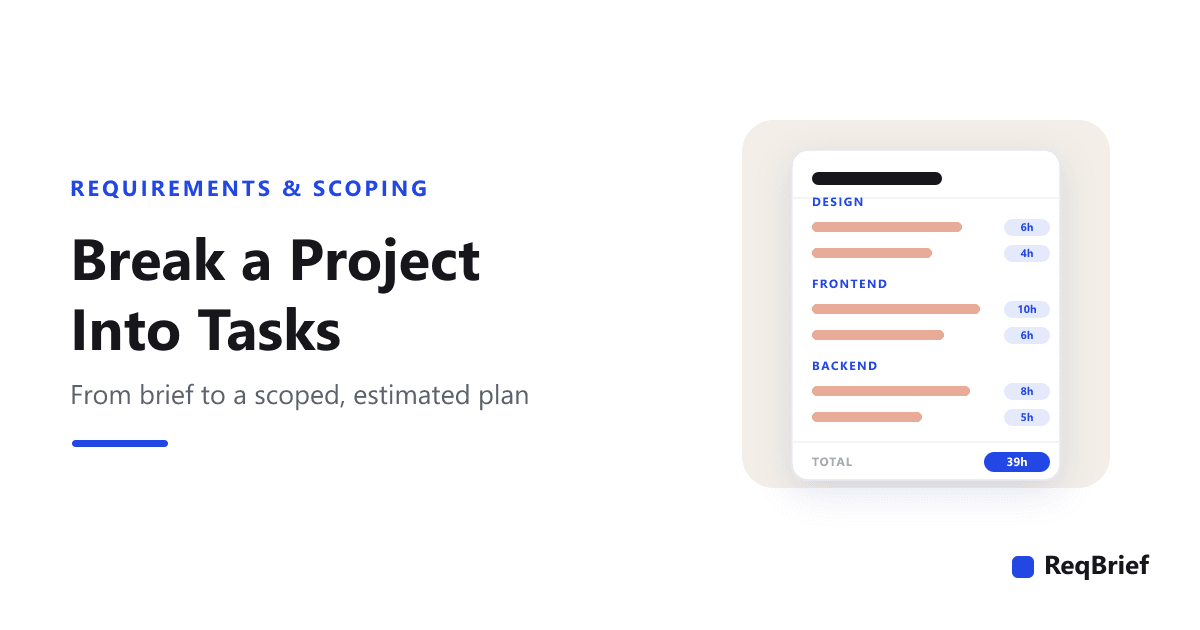
A brief tells you what to build. It does not tell you how long it takes, who does which part, or what you have quietly forgotten to count. That gap is where under-quotes and blown timelines live. Breaking the project into tasks is how you close it: you turn a paragraph of intent into a list of concrete work, each line small enough to estimate and hard to forget. Here is a repeatable way to do it, straight from the brief, with a copy-paste structure and a worked example.
This is the step most people skip. The brief gets signed, the deadline gets agreed, and the plan lives in someone's head as "a few weeks of work". Then week three arrives and the booking integration turns out to be its own small project, the client wants a second round of design revisions nobody counted, and the "few weeks" quietly becomes six. Almost none of that is bad luck. It is unbroken-down work: effort that was always going to be there, but was never written down where anyone could see it, sequence it, or price it.
What breaking the work down actually buys you
It is tempting to treat a task breakdown as busywork you do to look organised. It is the opposite: it is the cheapest risk-reduction available on a project, and it pays back in four concrete ways.
- 1An estimate you can defend. A single "40 hours" is a guess wearing a number. Forty hours built from fifteen itemised tasks, each with a range, is a position you can stand behind, adjust line by line, and explain to a client without hand-waving. When they push on price, you have something specific to point at instead of a feeling.
- 2The forgotten work becomes visible. You cannot forget a task that is written on a list. The act of decomposing forces the invisible work (QA, revisions, deployment, project management) out of your head and onto the page, where it gets counted and paid for instead of absorbed for free.
- 3A defence against scope creep. An itemised breakdown is a boundary. When a "quick addition" arrives, you can see instantly that it is not on the list, which turns it from an awkward favour into a normal change: here is the task, here is its range, here is what it does to the timeline.
- 4A real sequence, and a way to split the work. Tasks grouped by discipline show you what can happen in parallel and what blocks what: design before frontend, backend integration before you can test a booking. That is the difference between a plan and a wish, and it is what lets you hand parts to other people.
Why one number hides the work
Start from the brief, not a blank page
The quality of a breakdown is capped by the quality of the brief behind it. If the brief is vague about what "online booking" means, every task under it is a guess, and the estimate inherits that fog. This is why the reliable order is discovery first, brief second, breakdown third: you decompose an agreed understanding, not a hopeful one. Trying to break down a project from a thin brief is how you end up estimating a version of the work that turns out not to be the one the client wanted.
Business analysts call the underlying skill elicitation: actively drawing requirements out rather than waiting to receive them. It matters here because a task is only estimable when the requirement behind it is specific. The formal version of that idea, ISO/IEC/IEEE 29148, is built on the principle that every requirement should be verifiable, and a verifiable requirement is exactly one you can turn into a task with a number on it. "A user can reserve a slot and receive a confirmation email" breaks down cleanly; "a great booking experience" does not.
So before you decompose, make sure the brief is real. If yours tend to come out thin, the fix is upstream: the method, and the structure to fill, both sit in the project brief template.
The method: deliverables, then disciplines, then tasks
There are two ways to slice a project into tasks, and you want both. Deliverables tell you what the client is paying for; disciplines tell you who does it. Crossing them is what produces a breakdown that is complete (nothing falls between the cracks of two roles) and estimable (each cell is small and concrete). Work through it in this order.
- 1List the deliverables from the brief. Pull the concrete things you are handing over straight out of the brief and scope: the marketing site, the booking flow, the CMS setup. Each is a bucket the tasks will hang under. If a "deliverable" is too fuzzy to list its tasks, that is a signal the brief is still too vague there, not that you should push on.
- 2Under each deliverable, name the disciplines it touches. Most deliverables cross several roles: design, frontend, backend, content, QA. Walking the disciplines one at a time is what stops you from writing three frontend tasks and silently forgetting the backend integration and the QA that the same feature needs.
- 3Write concrete tasks in each cell. Now the actual list: "wireframe the booking flow", "build the four pages from design", "integrate the booking provider API". Keep splitting until each task is something you could finish in under a day. A task you cannot estimate is a task you have not broken down far enough.
- 4Add the tasks every breakdown forgets. Before you total anything, deliberately add the invisible work: project management, revision rounds, writing or sourcing content, cross-browser QA, and deployment. This one step prevents more under-quotes than any other, because this is precisely the work that never volunteers itself.
- 5Estimate each task as a range. Put a low and a high on every line, then roll them up per discipline and for the project. Ranges are covered in the next section, but the rule is simple: never let a single number stand where the honest answer is a spread.
Estimate in ranges, not points
A single-number estimate makes one of two promises, and it breaks both. Either it is your optimistic case, in which case reality almost always comes in higher and you eat the difference, or you padded it silently, in which case the client is paying a buffer they cannot see and would argue with if they could. A range fixes both by telling the truth: this task is 6 to 10 hours because the outcome genuinely depends on things not yet settled.
The width of the range is information, not indecision. A task you have done fifty times is 3 to 4 hours; a task that depends on a third-party API you have never touched might be 6 to 12. That spread is you telling the client, honestly, where the risk sits, which is a far stronger position than a precise number you privately doubt. When you need to commit to one figure, quote the top of the range or somewhere near it; the low end is what happens when everything goes right, and everything rarely goes right on every task at once.
One more line worth adding explicitly: a contingency buffer for the genuinely unknown. It is not padding hidden inside other tasks; it is an honest, named allowance for the fact that some of what a project needs cannot be seen from the brief. Ten to fifteen percent, on its own line, is far easier to defend than the same hours smuggled into a dozen estimates.
The task-breakdown template
Copy the block below. Each section carries a one-line prompt in brackets; delete it as you fill it in. The structure is deliberately dull, which is the point: the value is not the skeleton, it is the honest tasks and ranges you put in it.
PROJECT TASK BREAKDOWN

Project:  [Project name]
Built from:  [The brief / SOW this decomposes]

Rule: for every deliverable in the brief, list the tasks under each discipline
it touches. Estimate every task as a RANGE (low-high hours), never one number.

DELIVERABLE 1:  [e.g. Marketing site]
  Project management
    - [task]                                  [low-high h]
  UI/UX design
    - [task]                                  [low-high h]
  Frontend
    - [task]                                  [low-high h]
  Backend
    - [task]                                  [low-high h]
  QA & launch
    - [task]                                  [low-high h]

DELIVERABLE 2:  [e.g. Online booking]
  [ repeat the discipline rows for this deliverable ]

THE TASKS EVERY BREAKDOWN FORGETS (add them on purpose):
  - Project management & client communication
  - Revision rounds (how many are included, and whose sign-off ends them?)
  - Content: who writes the copy and sources the images?
  - QA: cross-browser and device testing, bug fixing
  - Deployment: DNS, environments, launch checklist
  - A contingency buffer for what you cannot see yet

TOTALS
  Per discipline:  [roll each discipline up to a range]
  Project total:   [low-high h]  ->  [low-high working days]
A worked example
Here is the template filled in for a familiar project: a bakery that wants a small marketing site with online booking, integrating a booking tool it already uses. Notice how the invisible work (project management, QA, deployment) has its own lines, and how each estimate is a range that rolls up to a project total, the same 40 to 62 hours shown in the figure above.
PROJECT TASK BREAKDOWN

Project:  Bakery website + online booking
Built from:  Approved brief, 22 Jul 2026

PROJECT MANAGEMENT                                    4-6 h
  - Kickoff, planning, weekly check-ins               3-4 h
  - Final sign-off & handover                         1-2 h

UI/UX DESIGN                                          8-12 h
  - Wireframes: home, menu, location, booking         4-6 h
  - Visual design + responsive states                 4-6 h

FRONTEND                                             14-20 h
  - Build 4 pages from the approved design            8-11 h
  - Booking form UI + validation states               4-6 h
  - Responsive + cross-browser pass                    2-3 h

BACKEND                                              10-16 h
  - Integrate the existing booking provider (API)     6-10 h
  - Contact form handling + notification email         2-3 h
  - Deploy, DNS, environment setup                     2-3 h

QA & LAUNCH                                            4-8 h
  - Test a booking end to end (confirmation email)    2-4 h
  - Content load-in + proofread                        1-2 h
  - Launch checklist + smoke test                      1-2 h

PROJECT TOTAL                                        40-62 h
                                                 (about 5-8 working days)
✕ One line, one number
"Build the bakery website, 40 hours." It hides where the effort is, buries the booking integration and QA, forgets project management entirely, and gives you nothing to point at when the client asks why it costs what it costs, or when week three runs long.✓ Broken down, estimated in ranges
Fifteen tasks across five disciplines, each with a range, rolling up to 40-62 h. You can see the integration is the risky part, the invisible work is counted, and every hour has a reason. When scope shifts, you add or remove a line, not renegotiate a vibe.Three ways a breakdown goes wrong
- 1Estimating in single numbers. A point estimate is a range pretending to be a fact. It reads as confident and quotes as precise, and then it is wrong in the one direction that costs you. If you take nothing else from this post, replace every single number with a low and a high.
- 2Counting only the visible build. The tasks that are fun to think about (design, frontend) get listed; the ones that are not (revisions, QA, deployment, project management) get absorbed. That absorbed work does not disappear, it just becomes unpaid. Give the invisible work its own lines or keep giving it away.
- 3Breaking down before the brief is solid. A meticulous breakdown built on a vague brief is precision applied to a guess. It looks rigorous and estimates the wrong project. Fix the intake first; a task list is only as trustworthy as the requirements under it.
From the brief to a kickoff plan, in one step
Every part of this is faster when the breakdown starts from a brief that is already complete and specific. That is the part ReqBrief handles: you send the client a link, an AI interviews them one question at a time (goals, scope, what "done" looks like, constraints), follows up on the thin answers, and hands you back a structured brief. From that brief, one click generates a kickoff plan: the project broken into tasks, grouped by discipline, each with an hour-range estimate you can edit. It is the method in this post, produced from the requirements instead of from a blank page.
Because the plan is built from the agreed brief rather than guessed at, the tasks map to what the client actually asked for, and the invisible work is in there by default. It is the raw material for a quote, a statement of work, and a kickoff that confirms the plan instead of inventing it. You can see the whole flow on how it works, and it is built for the way agencies scope client work.
Copy the template and use it by hand and your projects will start on firmer ground. Feed the breakdown from a real interview instead of a vague sense of the work, and the estimate stops being the number you hope you can hit. It becomes the plan you quoted because you could see every hour in it.
A trustworthy estimate starts with a complete brief. ReqBrief interviews your client one question at a time, then turns the brief into a kickoff plan: tasks grouped by discipline, each with an hour-range estimate you can edit.
Try ReqBrief free →Frequently asked questions
How do you break a project into tasks?
Start from the agreed brief, not a blank page. List every deliverable the brief commits you to, then under each deliverable write the concrete tasks in each discipline it touches: project management, design, frontend, backend, QA, content, and so on. Keep splitting until each task is something you could estimate within a day. Then add the tasks a breakdown always forgets, project management, revisions, content, QA, and deployment, and estimate every task as a range rather than a single number. The result is a task list you can price, sequence, and defend against scope creep.
How detailed should each task be?
Detailed enough to estimate, not so detailed it becomes a to-do list. A useful rule of thumb: a task should be something you can complete in roughly two to sixteen hours. If a task is bigger than a couple of days, you cannot estimate it with any confidence, so split it. If it is smaller than an hour, it is probably a checklist item inside a larger task, not a line of its own. The point of the breakdown is a number you trust, so the right grain is the grain at which you can put an honest range on each line.
How do you estimate hours for each task?
Estimate in ranges, and anchor them in work you have actually done. For each task, ask what it took last time you did something similar, then set a low (everything goes smoothly) and a high (the normal frictions show up). Where a task depends on something you do not control, a third-party API, client-supplied content, an unfamiliar system, widen the range rather than guessing a precise figure. A range is not vagueness; it is an honest statement of where the uncertainty lives, and it protects you far better than a single optimistic number.
What tasks do people most often forget?
The invisible ones, the work that is real but never gets its own line. The usual suspects: project management and client communication, revision rounds, writing or sourcing content, QA and cross-browser testing, and deployment (DNS, environments, a launch checklist). None of them are optional, and together they routinely add 20 to 40 percent to a naive build estimate. Listing them explicitly is the single highest-value move in any breakdown, because unlisted work is unpriced work.
What is the difference between a task breakdown and a work breakdown structure (WBS)?
They are close cousins. A work breakdown structure is the formal project-management term for decomposing the total scope of a project into smaller, deliverable-oriented pieces, arranged as a hierarchy. A task breakdown, as most agencies and freelancers use the term, is the practical, one-level-deeper version: the tasks under each deliverable, with hour estimates attached, that you actually plan and price from. The method in this post produces a lightweight WBS with estimates. You do not need the formal notation to get the benefit.